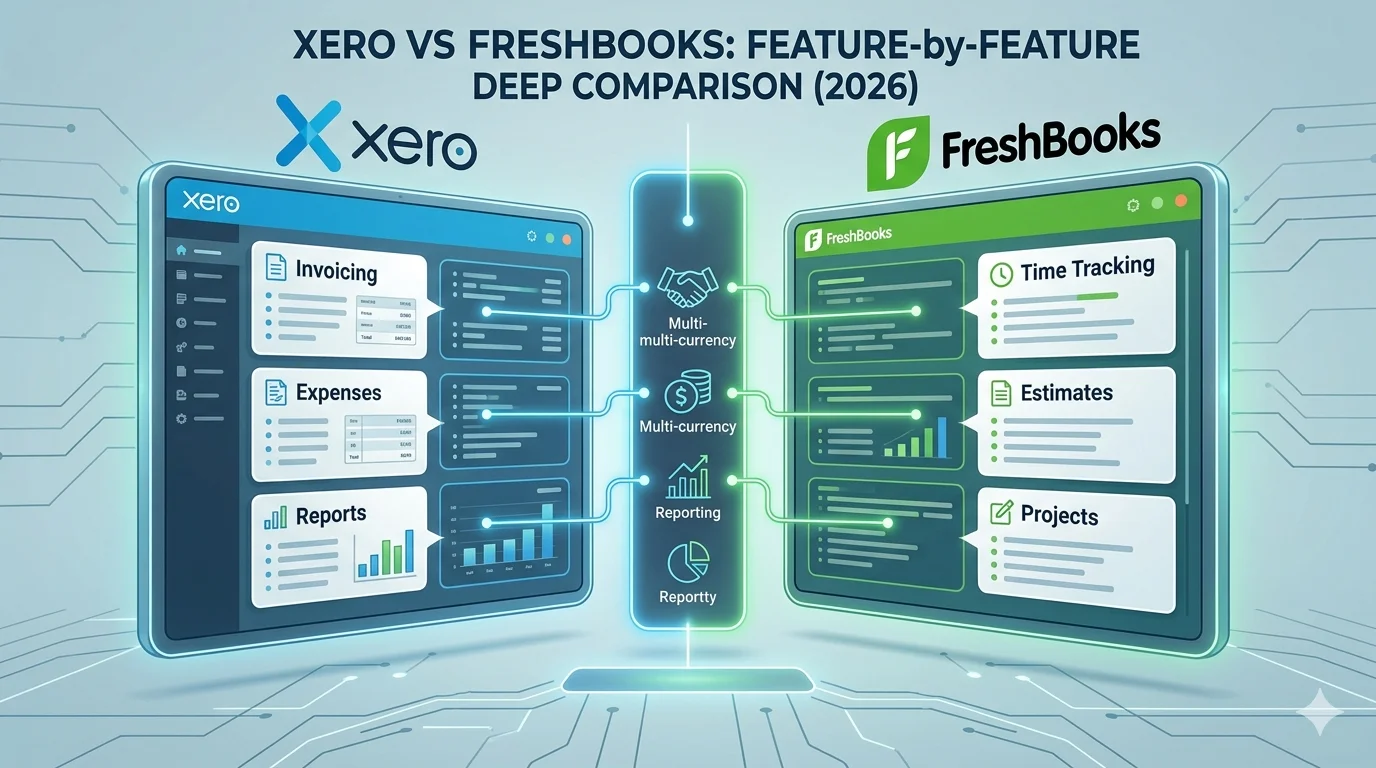
When choosing accounting software for a business, the decision usually comes down to how much financial control, automation, and simplicity you need. Two popular cloud-based tools in this space are Xero and FreshBooks, but they are built for very different types of users.
Xero is a full accounting system designed for growing businesses that need automation, bank reconciliation, multi-user access, and detailed financial reporting.
FreshBooks is a simplified accounting and invoicing platform focused mainly on freelancers, service providers, and small teams who prioritize invoicing, time tracking, and client management over advanced bookkeeping.
This comparison breaks down both platforms in detail across features, technical capabilities, usability, reporting, pricing structure, integrations, and overall business suitability.
Core System Philosophy
Xero
Xero is built as a double-entry cloud accounting system. Every transaction is recorded in a structured ledger where debits and credits must always balance. It is designed for full financial management, including:
- Accounting automation
- Bank reconciliation
- Financial reporting
- Inventory and payroll integrations
- Multi-user collaboration
Its goal is to function as a complete financial operating system for a business.
FreshBooks
FreshBooks is built around a client and service workflow model rather than a full accounting ledger system. It focuses on:
- Invoicing workflows
- Time tracking per project
- Client billing cycles
- Expense tracking for freelancers
Its goal is to make billing and getting paid as simple as possible.
Invoicing System Comparison
Xero Invoicing Features
Xero offers a structured invoicing system integrated directly into its accounting ledger.
Key features:
- Custom invoice templates with branding
- Automated invoice reminders
- Real-time invoice status tracking (sent, viewed, paid)
- Recurring invoices for subscription-style billing
- Multi-currency invoicing (on higher plans)
Invoices in Xero automatically update financial records when payments are received, ensuring accurate accounting without manual entry.
FreshBooks Invoicing Features
FreshBooks is widely known for its invoicing strength.
Key features:
- Highly customizable invoice design
- Automated late payment reminders
- Recurring invoices for repeat clients
- Client portal for invoice viewing and payments
- Simple payment integration (Stripe, PayPal, etc.)
FreshBooks is optimized for speed and simplicity rather than complex accounting structure.
Key Difference
- Xero = accounting-integrated invoicing system
- FreshBooks = client-focused invoicing and billing system
Winner: FreshBooks for simplicity, Xero for accounting depth
Expense Tracking and Management
Xero Expense System
Xero provides a highly automated expense management system.
Technical capabilities:
- Bank feed integration for automatic expense import
- Smart categorization using rule-based matching
- Receipt capture via mobile apps
- Automatic reconciliation with bank transactions
Expenses are directly linked to the general ledger, ensuring accurate financial reporting.
FreshBooks Expense System
FreshBooks provides a simpler expense tracking system.
Features:
- Receipt scanning via mobile
- Manual or semi-automated expense entry
- Basic categorization
- Expense linking to clients or projects
It focuses more on usability than accounting complexity.
Key Difference
- Xero = automated, accounting-grade expense system
- FreshBooks = lightweight expense tracking for freelancers
Winner: Xero
Bank Reconciliation and Automation
Xero Bank Reconciliation
This is one of Xero’s strongest technical features.
How it works:
- Connects directly to bank accounts via secure APIs
- Imports transactions automatically
- Uses matching algorithms to link transactions with invoices or expenses
- Learns user behavior for smarter suggestions over time
Users can also create custom bank rules for automation.
FreshBooks Bank Reconciliation
FreshBooks offers basic reconciliation features.
Limitations:
- Less automation compared to Xero
- Fewer customization rules
- Limited depth in matching algorithms
It is functional but not designed for complex accounting workflows.
Key Difference
- Xero = advanced automated reconciliation engine
- FreshBooks = simplified reconciliation for basic bookkeeping
Winner: Xero
Reporting and Financial Analytics
Xero Reporting System
Xero provides a full financial reporting engine.
Includes:
- Profit and loss statements
- Balance sheets
- Cash flow statements
- Tax summaries
- Budget vs actual reports
- Advanced tracking categories
Reports are dynamically generated from real-time ledger data.
FreshBooks Reporting System
FreshBooks offers simplified reporting.
Includes:
- Profit and loss summary
- Expense breakdown
- Invoice aging reports
- Basic project profitability reports
It is designed for non-accountants and service businesses.
Key Difference
- Xero = advanced accounting analytics system
- FreshBooks = simplified business insights
Winner: Xero
Time Tracking and Project Management
Xero
Xero does not focus heavily on native time tracking. Instead, it relies on integrations for project and time management tools.
FreshBooks
FreshBooks has built-in time tracking.
Features:
- Track billable hours per client or project
- Convert tracked time directly into invoices
- Monitor project profitability
This makes it extremely useful for service-based professionals.
Key Difference
- Xero = integration-based time tracking
- FreshBooks = built-in time tracking system
Winner: FreshBooks
Integrations and Ecosystem
Xero Integrations
Xero has a very large integration ecosystem.
Includes:
- Payment gateways
- CRM systems
- E-commerce platforms
- Payroll systems
- Inventory tools
It supports hundreds of business apps through APIs.
FreshBooks Integrations
FreshBooks has fewer integrations but covers essentials:
- Stripe
- PayPal
- Basic business tools
- Project tools
It is more limited in ecosystem size.
Key Difference
- Xero = large scalable integration ecosystem
- FreshBooks = focused, limited integration set
Winner: Xero
Pricing and Value Structure
Xero Pricing Model
- Early plan for beginners
- Growing plan for small businesses
- Established plan for advanced users
- Most plans support unlimited users
Key advantage:
- Strong scalability without per-user pricing in most cases
FreshBooks Pricing Model
- Lite plan for freelancers
- Plus plan for growing freelancers
- Premium plan for small businesses
- Pricing increases with client limits
Key limitation:
- Client limits on lower plans
- Add-ons increase total cost
Key Difference
- Xero = scalable team pricing
- FreshBooks = client-based pricing model
Winner: Xero for scalability, FreshBooks for freelancers
Ease of Use
Xero
- Clean interface
- Slight learning curve due to accounting depth
- Designed for structured financial management
FreshBooks
- Extremely simple interface
- Fast setup
- Minimal accounting knowledge required
Key Difference
- Xero = professional accounting system
- FreshBooks = beginner-friendly billing tool
Winner: FreshBooks
Customer Support
Xero
- Online help center
- Email support
- Limited phone support depending on region
FreshBooks
- Email and chat support
- Phone support on higher plans
- Strong onboarding experience
Key Difference
FreshBooks generally offers more hands-on support for small users.
Winner: FreshBooks
Final Comparison Summary
Xero Strengths
- Full accounting system
- Strong automation and reconciliation
- Advanced reporting
- Large integration ecosystem
- Unlimited users on most plans
FreshBooks Strengths
- Best-in-class invoicing
- Built-in time tracking
- Very easy to use
- Ideal for freelancers and service businesses
- Strong client management system
Final Verdict
Both platforms are strong, but they are built for different users.
Xero is better for businesses that need:
- Full accounting control
- Scalability
- Automation
- Financial reporting depth
FreshBooks is better for users who need:
- Simple invoicing
- Time tracking
- Client-based billing
- Easy setup without accounting complexity
In simple terms:
- Xero is a complete accounting system for growing businesses
- FreshBooks is a lightweight billing and invoicing system for freelancers
Choosing between them depends on whether you want full financial control or simple client billing efficiency.