Modern businesses are rapidly shifting from traditional bookkeeping systems to cloud-based accounting platforms that offer automation, accuracy, and real-time financial visibility. One of the most widely adopted solutions in this space is Xero.
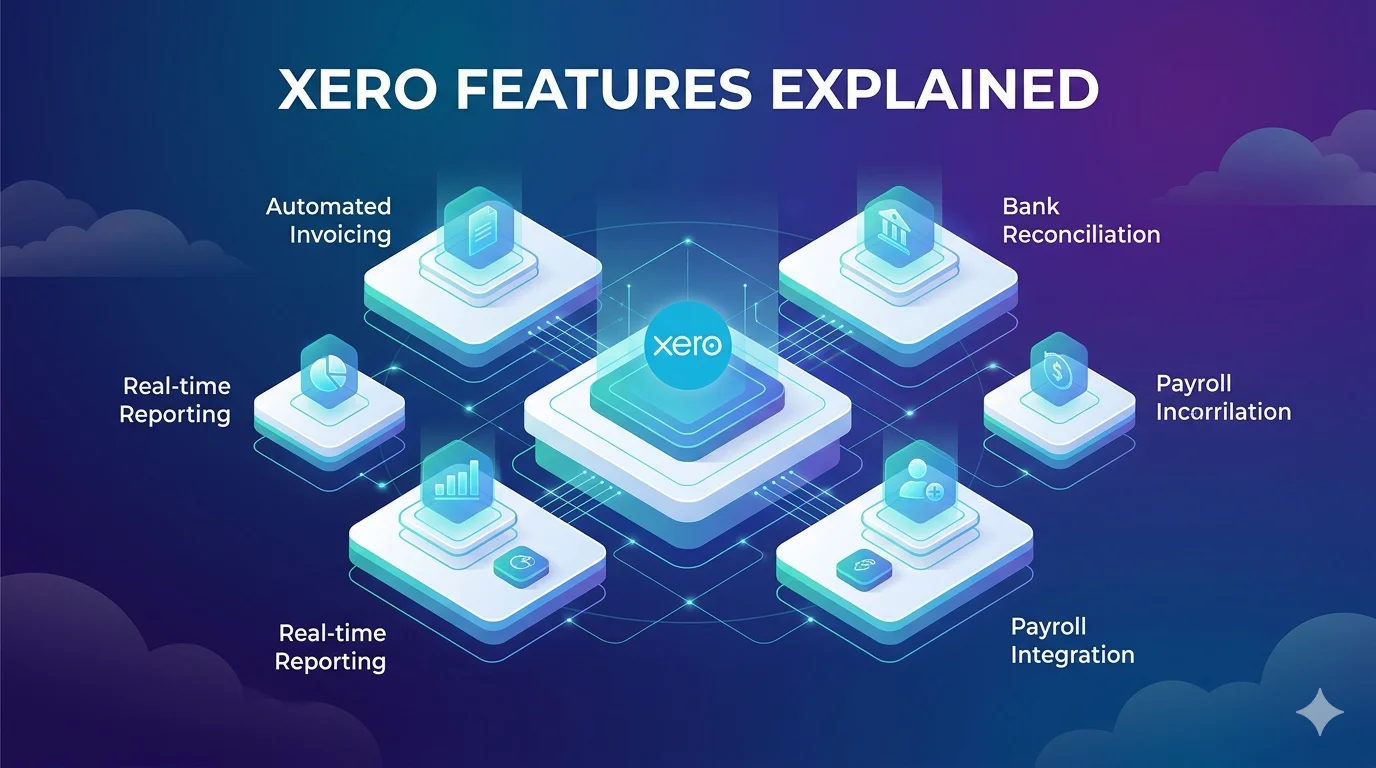
Xero is a cloud accounting platform designed to manage financial operations such as invoicing, expenses, bank reconciliation, reporting, payroll, and integrations in a single unified system. Unlike desktop accounting tools, it operates entirely online, allowing businesses to access financial data from anywhere and collaborate with accountants in real time.
This article provides a detailed, technical, and practical breakdown of Xero’s core features, how they function, and why they are valuable for businesses of different sizes.
Core Architecture of Xero
Xero is built on a cloud-native architecture, meaning all financial data is stored on secure remote servers instead of local devices. This enables continuous synchronization of transactions across all connected modules.
At a system level, Xero uses a double-entry accounting ledger where every transaction affects at least two accounts, ensuring financial accuracy and compliance with accounting standards.
The platform continuously processes data streams from bank feeds, invoices, expenses, and integrations, then updates financial reports in real time. This eliminates the need for manual end-of-period bookkeeping.
Accounting Dashboard and Financial Overview
The Xero dashboard serves as the central financial control panel. It aggregates data from multiple modules into a single interface that displays the current financial health of a business.
Key technical functions include:
- Real-time cash flow calculation based on bank balances and outstanding invoices
- Aggregation of unpaid bills and overdue invoices
- Automated categorization of income and expenses
- Visual financial summaries using dynamic data queries
The dashboard is not static; it updates continuously as new transactions are imported or recorded, giving users a live financial snapshot.
Bank Feeds and Automated Reconciliation
One of Xero’s most advanced features is automated bank reconciliation.
The system connects directly to financial institutions through secure APIs and imports transaction data into the accounting ledger. These imported transactions are then processed using matching algorithms.
The reconciliation engine performs several functions:
- It matches bank transactions with existing invoices or bills
- It suggests account categories based on historical patterns
- It flags inconsistencies for manual review
- It learns from previous user behavior to improve accuracy over time
This automation significantly reduces manual bookkeeping work and improves data accuracy by minimizing human error.
Invoicing System and Accounts Receivable
Xero includes a fully automated invoicing system that allows businesses to create, send, and manage invoices digitally.
From a technical perspective, each invoice is stored as a structured financial record linked to the accounts receivable ledger. Once an invoice is created, it is tracked throughout its lifecycle.
Key features include:
- Custom invoice templates with branding controls
- Automated payment reminders based on due dates
- Real-time invoice status tracking such as sent, viewed, or paid
- Integration with online payment gateways for faster settlement
When a payment is received, Xero automatically updates the ledger and reconciles the transaction with the corresponding invoice.
Expense Tracking and Receipt Processing
Expense management in Xero is designed to reduce manual data entry through automation and optical character recognition technology.
Users can upload receipts via mobile or email, and the system extracts key financial data such as vendor name, date, amount, and tax information.
This extracted data is then converted into structured expense entries and categorized within the accounting system.
The workflow includes:
- Receipt capture and upload
- Data extraction using OCR technology
- Automatic categorization based on predefined rules
- Integration with bank reconciliation for verification
This process ensures accurate expense tracking and simplifies financial recordkeeping.
Financial Reporting and Analytics Engine
Xero includes a powerful reporting engine that generates real-time financial statements based on live ledger data.
The system produces:
- Profit and loss statements
- Balance sheets
- Cash flow reports
- Tax summaries
- Budget versus actual comparisons
These reports are generated dynamically using structured queries on the accounting database. As transactions are updated, reports automatically reflect the latest financial position.
Advanced reporting features also allow customization of financial metrics and the creation of industry-specific reports.
Inventory Management System
Xero includes inventory management capabilities for businesses dealing with physical products.
Each product is assigned a unique identifier and tracked across purchase and sales transactions. The system maintains real-time stock levels by updating inventory records whenever a sale or purchase occurs.
Key technical functions include:
- Stock level tracking in real time
- Cost of goods sold calculation
- Automatic stock adjustment based on invoices and bills
- Reorder point alerts for low inventory
This helps businesses maintain accurate stock control without manual tracking systems.
Payroll System
In supported regions, Xero provides payroll management functionality that integrates directly with the accounting ledger.
The payroll system handles:
- Employee salary calculations
- Tax deductions and compliance processing
- Leave management and accrual tracking
- Direct deposit integration with bank systems
Payroll transactions are automatically recorded in the general ledger, ensuring consistency between payroll and accounting records.
Multi-Currency Accounting
Xero supports multi-currency transactions, making it suitable for international businesses.
The system automatically retrieves exchange rates and applies them to transactions in real time. It also tracks currency gains and losses resulting from fluctuations in exchange rates.
This feature ensures that financial statements reflect accurate valuations across different currencies.
Integration Ecosystem
One of Xero’s strongest technical advantages is its integration framework.
The platform connects with hundreds of third-party applications using secure APIs. These integrations include:
- Payment processors
- Customer relationship management systems
- E-commerce platforms
- Inventory and logistics tools
- Reporting and analytics software
Each integration allows bidirectional data flow, ensuring that updates in one system are reflected across all connected platforms.
This modular architecture makes Xero highly adaptable to different business environments.
Mobile Access and Remote Accounting
Xero provides a fully functional mobile application that synchronizes with the cloud database in real time.
Mobile capabilities include:
- Invoice creation and sending
- Receipt capture and upload
- Transaction reconciliation
- Cash flow monitoring
All mobile actions are instantly synced with the main system, ensuring consistent financial data across devices.
Automation and Smart Features
Xero incorporates automation tools that reduce manual accounting tasks.
These include:
- Smart transaction categorization based on historical data
- Automated reconciliation suggestions
- Recurring invoice generation
- Workflow automation for approvals and payments
These features rely on rule-based logic combined with machine learning patterns that improve over time as more data is processed.
Advantages of Xero Features
Xero offers several key advantages:
- Strong automation reduces manual bookkeeping workload
- Real-time financial data improves decision-making
- Scalable system suitable for growing businesses
- Wide integration ecosystem increases flexibility
- Cloud-based access enables remote collaboration
Limitations of Xero Features
Despite its strengths, Xero has some limitations:
- Advanced features are locked behind higher pricing tiers
- Some functionalities depend on third-party integrations
- Beginners may require time to learn accounting workflows
- Full functionality requires stable internet connectivity
Final Thoughts
Xero is a highly advanced cloud accounting platform that combines automation, real-time data processing, and integration capabilities into a single system. Its feature set is designed to reduce manual financial work while improving accuracy and visibility.
For businesses seeking a scalable, modern accounting solution, Xero provides a strong balance of usability, technical depth, and automation.