
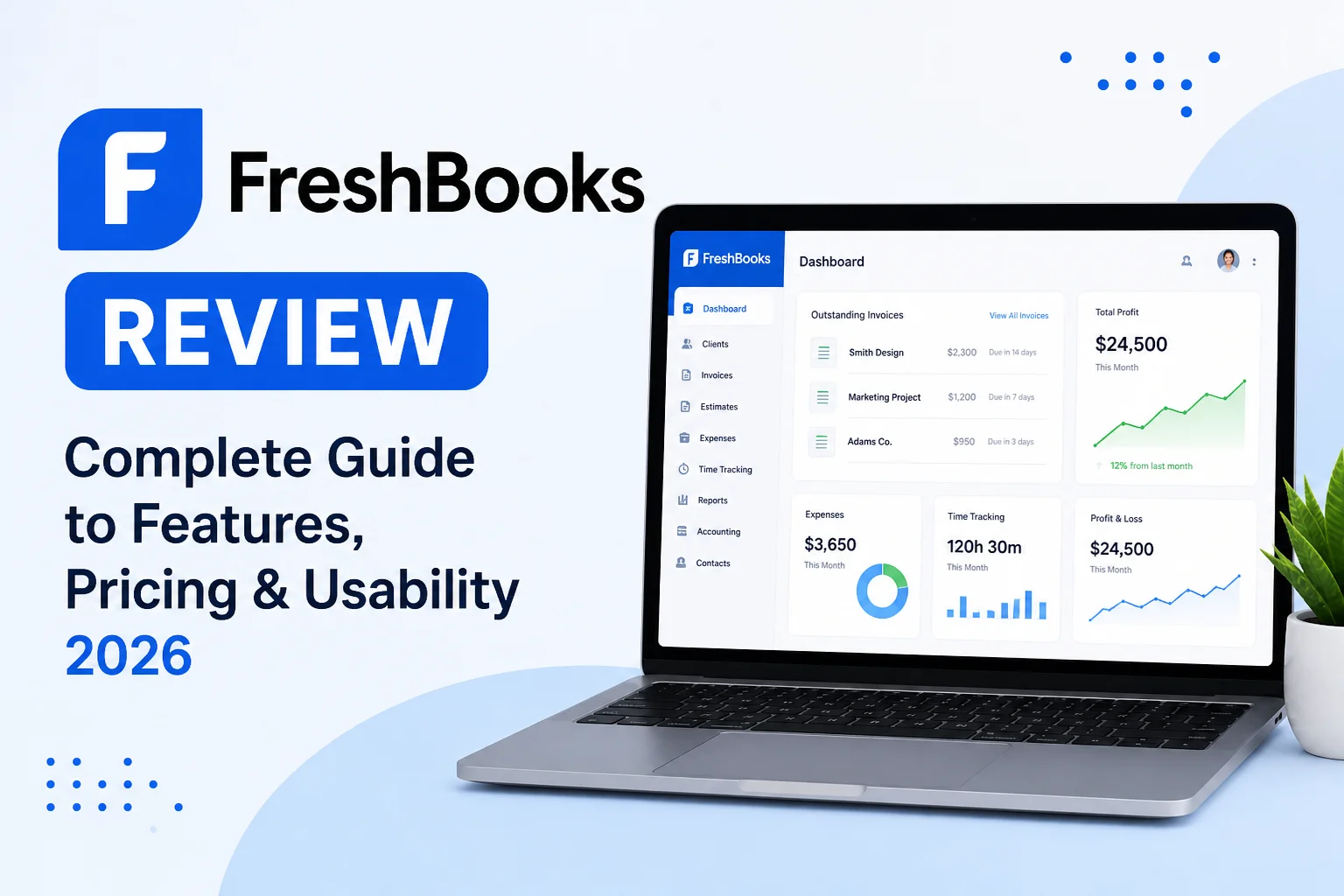
Choosing the right accounting software is essential for freelancers, small business owners, and service-based professionals who want to manage invoices, expenses, and client payments efficiently. One of the most popular tools in this category is FreshBooks.
FreshBooks is designed with simplicity in mind, focusing heavily on invoicing, time tracking, and client management rather than complex accounting structures. This makes it especially popular among freelancers, consultants, agencies, and service-based businesses.
This detailed guide explains FreshBooks in depth, including its features, technical workflow, pricing structure, advantages, limitations, and who should use it.
What Is FreshBooks?
FreshBooks is a cloud-based accounting and invoicing platform built primarily for service-based businesses. Unlike traditional accounting software that focuses heavily on bookkeeping complexity, FreshBooks prioritizes ease of use and client billing workflows.
It allows users to:
- Create and send professional invoices
- Track billable hours
- Manage expenses
- Accept online payments
- Monitor project profitability
The platform is fully cloud-based, meaning all financial data is stored online and accessible from any device.
Core Design Philosophy of FreshBooks
FreshBooks is built around a client-centric financial model. Instead of focusing only on accounting ledgers, it focuses on how businesses get paid for their work.
Its system is structured around:
- Projects
- Clients
- Invoices
- Time tracking
- Payments
This structure makes it different from traditional accounting platforms like Xero or QuickBooks, which are more ledger-focused.
Key Features of FreshBooks
1. Invoicing System
FreshBooks is widely known for its powerful invoicing capabilities.
Key invoicing features include:
- Custom invoice templates with branding
- Recurring invoices for repeat clients
- Automatic payment reminders
- Multi-currency invoicing support
- Real-time invoice tracking (sent, viewed, paid)
Once an invoice is created, it is linked to a client profile and tracked through the payment lifecycle. When payment is received, the system automatically updates the financial record.
This makes invoicing fast, accurate, and highly automated.
2. Time Tracking System
One of FreshBooks’ strongest technical features is built-in time tracking.
It allows users to:
- Track billable hours per client or project
- Convert tracked time directly into invoices
- Monitor productivity across tasks
Time tracking is integrated directly into the billing system, which means hours worked can be instantly converted into invoices without manual calculation.
This is especially useful for freelancers, developers, designers, and consultants.
3. Expense Tracking
FreshBooks includes a simple but effective expense management system.
Features include:
- Receipt capture via mobile
- Expense categorization
- Automatic import of bank transactions (in supported regions)
- Expense linking to clients or projects
The system is designed to keep expense tracking lightweight and easy to manage, rather than overly complex.
4. Project Management
FreshBooks also includes basic project management tools.
Users can:
- Assign tasks to projects
- Track time spent per project
- Attach expenses to specific projects
- Monitor project profitability
This creates a direct link between work performed and revenue generated, helping businesses understand which projects are profitable.
5. Payment Processing
FreshBooks supports online payment acceptance through integrations with payment providers.
Key capabilities:
- Credit card payments on invoices
- Bank transfer options (region-dependent)
- Automatic payment reconciliation
- Faster payment processing for clients
This helps reduce delays in receiving payments and improves cash flow.
6. Reporting and Financial Insights
FreshBooks provides simplified financial reporting designed for non-accountants.
Reports include:
- Profit and loss summary
- Expense breakdown
- Invoice aging reports
- Project profitability reports
While not as advanced as enterprise accounting systems, these reports are sufficient for freelancers and small service businesses.
7. Client Management System
FreshBooks is built around a strong client management system.
It allows users to:
- Store client contact details
- Track invoice history per client
- Monitor outstanding balances
- Communicate through client portals
Each client has a dedicated profile that connects all financial activity in one place.
FreshBooks Pricing Structure
FreshBooks follows a subscription-based pricing model with different tiers based on number of clients and features.
Lite Plan
- Suitable for freelancers with a small number of clients
- Basic invoicing and expense tracking
- Limited client support capacity
Plus Plan
- More clients allowed
- Advanced invoicing features
- Recurring billing support
- Basic reporting tools
Premium Plan
- Designed for growing businesses
- Unlimited invoicing capabilities
- Stronger reporting features
- More client capacity
Custom Plan
- Designed for larger teams
- Advanced customization
- Dedicated support options
Pricing increases as client limits and features expand.
Advantages of FreshBooks
FreshBooks offers several strong benefits:
- Extremely easy to use interface
- Strong invoicing and billing system
- Built-in time tracking for service businesses
- Fast setup with minimal accounting knowledge required
- Clean and simple dashboard
- Strong focus on freelancers and agencies
Limitations of FreshBooks
Despite its strengths, FreshBooks has some limitations:
- Not suitable for complex accounting needs
- Limited inventory management features
- Fewer advanced financial reports compared to competitors
- Can become expensive as client numbers grow
- Less powerful for large businesses
Who Should Use FreshBooks?
FreshBooks is best suited for:
- Freelancers
- Consultants
- Agencies
- Designers and developers
- Service-based small businesses
It is not ideal for:
- Large enterprises
- Product-based businesses with inventory needs
- Companies requiring advanced accounting systems
FreshBooks vs Traditional Accounting Tools
Compared to platforms like Xero and QuickBooks, FreshBooks is much simpler and more focused on billing workflows rather than full accounting systems.
Key difference:
- FreshBooks focuses on getting paid faster
- Xero and QuickBooks focus on full financial management
This makes FreshBooks more suitable for service professionals rather than complex accounting environments.
Final Thoughts
FreshBooks is a powerful yet simple accounting solution designed for freelancers and service-based businesses that prioritize invoicing, time tracking, and client management over complex accounting structures.
Its biggest strength is usability. It removes the complexity of traditional accounting systems and replaces it with a clean, intuitive workflow focused on billing and payments.
However, it is not designed for advanced accounting or inventory-heavy businesses, which limits its use case.
Overall, FreshBooks is an excellent choice for individuals and small service businesses that want a fast, simple, and effective way to manage clients, track time, and get paid efficiently.
One Comment